When it comes to designing and manufacturing mechanical components, accurate and detailed drawings play a pivotal role. Computer-Aided Design (CAD) software has revolutionized the way mechanical parts are designed and documented, allowing engineers to create precise representations of their ideas. In this guide, we'll delve into the art of drawing mechanical parts using CAD software, exploring key principles, techniques, and tools that will help you create exceptional designs.
.jpg) Understanding the Principles of Mechanical Parts Drawing
Understanding the Principles of Mechanical Parts Drawing
Creating effective mechanical parts drawings requires a solid foundation in design principles. CAD software empowers engineers to translate their ideas into digital form, but adherence to certain guidelines ensures the accuracy and manufacturability of the final product. Key principles include:
Dimensioning and Annotations
Accurate dimensioning is crucial to convey the size and shape of components effectively. CAD software offers tools to insert dimensions and annotations, enabling you to label features, specify tolerances, and provide essential manufacturing information.
Tolerances and Fits
Understanding tolerances is essential to ensure parts fit together precisely. CAD software allows you to define tolerances and specify fits, helping manufacturers produce components that work seamlessly within an assembly.
Material and Finish Specifications
CAD drawings should include information about the material used for each component and the desired finish. This information assists manufacturers in selecting appropriate materials and finishing processes for optimal performance and aesthetics.
 Creating Detailed CAD Drawings for Mechanical Assemblies
Mechanical assemblies often consist of multiple components working together. Creating detailed CAD drawings for assemblies involves several steps:
Organizing Components
Start by creating individual part drawings. Organize them logically within your assembly, making sure they fit together as intended.
Exploded Views
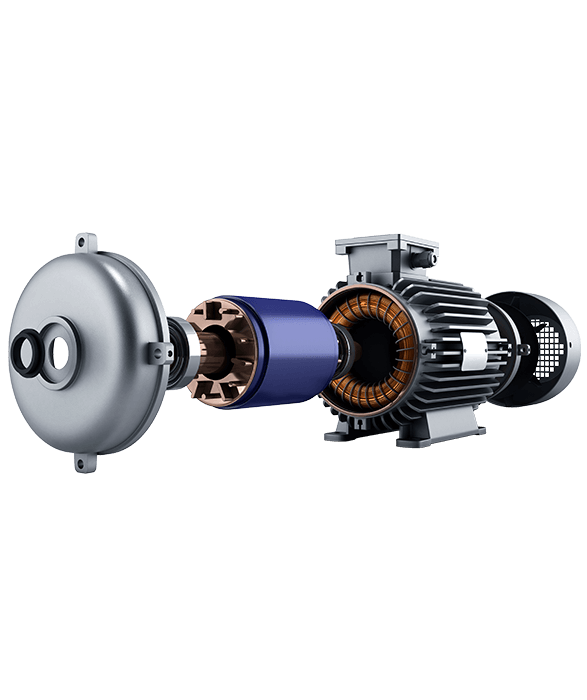
Generate exploded views to show how components fit together. This visual representation clarifies assembly order and aids in maintenance and repair.
Bill of Materials (BOM)
Include a BOM that lists all components required for the assembly. This document assists in procurement and manufacturing planning.
Leveraging 3D Modeling for Enhanced Design
Modern CAD software offers robust 3D modeling capabilities that revolutionize mechanical design:
Realistic Visualization
3D models provide a realistic preview of the final product. This aids in design validation and communication with stakeholders.
Prototyping and Testing
With 3D models, you can virtually test the functionality of your design before manufacturing. This reduces errors and enhances the overall quality of the end product.
Selecting the Right CAD Software for Your Needs
Choosing the appropriate CAD software is a critical decision in mechanical parts drawing:
Feature Set
Different software options offer varying features. Consider your specific needs, such as parametric modeling, assembly simulations, and rendering capabilities.
User Interface
A user-friendly interface enhances productivity. Look for software that aligns with your workflow and is easy to learn.
Compatibility
Ensure the software is compatible with industry-standard file formats and can integrate with other tools you might use.
 Answering Common Questions about Mechanical Parts Drawing
-
How do I start drawing mechanical parts using CAD software? To begin, familiarize yourself with the software's interface and tools. Create a new drawing, import reference sketches if available, and start sketching the individual components.
-
What are some best practices for dimensioning in CAD drawings? Use clear and concise dimensioning, avoid over-dimensioning, and consider the manufacturing process when defining tolerances.
-
Can CAD drawings assist in 3D printing mechanical parts? Absolutely! CAD drawings provide the precise specifications required for 3D printing, ensuring that your designs are accurately replicated in physical form.
-
Is it possible to collaborate on CAD drawings remotely? Yes, many CAD software tools offer cloud-based collaboration features, enabling teams to work on the same project from different locations.
-
How can I optimize my CAD drawings for manufacturing efficiency? Design for manufacturability by considering material selection, tolerances, and assembly sequences. Consulting with manufacturing experts can help refine your designs.
In conclusion, mastering mechanical parts drawing using CAD software requires a combination of technical knowledge and creative design skills. By understanding principles, leveraging 3D modeling, and selecting the right software, you can create accurate and functional designs that drive innovation in mechanical engineering. Embrace the power of CAD and unlock a world of possibilities in mechanical parts design.
Get Quote
- Visit our website: https://www.nbyichou.com/
- Email us: [email protected]
- Call us/whatsapp: +86 13355741031
- Chat with us: Live chat support available on our website